Logbook
Dependable Computing: How to Build Systems That Can Be Trusted
· updated
I first came across dependable computing as a formal subject while studying computer systems, real-time computing, embedded systems, and reliability. Later, I had to turn those ideas into something more concrete: material that could be taught to other students and engineers, and engineering reasoning that could be applied to aerospace-oriented embedded systems.
Part of the material behind this article was originally prepared for talks and training sessions around Porto Space Team, including recruitment material and internal presentations on dependable computing. Another important moment was my talk at the University of Beira Interior, during the Jornadas do Espaço do Laboratório para a Órbita, where I presented dependable computing in the broader context of space systems and mission-oriented engineering.
Those contexts were useful because they forced a different way of thinking about software. The question was no longer only “does the code run?” It became: what happens if a sensor lies, a task misses a deadline, a bus times out, memory is corrupted, power is unstable, or the recovery mechanism itself fails?
Some of these ideas also became practical through work on flight-software and data-handling concepts, where timing, faults, redundancy, recovery, memory, and safe operation stop being abstract textbook topics and become design constraints.
The goal of this article is to extract the general lessons from that experience. It is not a case study about ANTAEUS, Porto Space Team, or any specific rocket. Those projects and talks helped me learn, apply, and teach the subject, but the article is about the broader discipline: how to build computing systems whose behaviour can be trusted when conditions are imperfect.
Most software is judged by whether it produces the right output. Dependable software is judged by something stricter: whether it can be trusted to keep doing the right thing, at the right time, under imperfect conditions.
That difference matters whenever software interacts with the physical world, money, infrastructure, safety, or irreplaceable data. A website crash is annoying. A control system crash can damage equipment. A missed deadline in a multimedia app may cause a glitch. A missed deadline in a flight computer, medical device, industrial controller, railway system, or autonomous robot may become dangerous.
Dependable computing is the discipline of designing, implementing, verifying, operating, and maintaining computing systems whose behaviour can be justifiably trusted.
This article introduces the main ideas: real-time behaviour, requirements, RAMS, failures, FMECA, redundancy, FDIR, component selection, memory safety, communication buses, software development practices, and testing. The examples come mostly from aerospace and embedded systems, but the principles apply far more widely.
Dependability is not “the system usually works”
A system is not dependable just because it works during a demo.
A dependable system is one whose required function can be trusted under stated conditions for a stated period of time. That means we need to define:
- what the system must do;
- when it must do it;
- what failures it must tolerate;
- what level of risk is acceptable;
- how we know the design satisfies those claims.
Dependability is therefore not a single feature. It is an engineering property built from architecture, requirements, timing analysis, testing, operations, and recovery mechanisms.
A useful definition is:
Dependability is the extent to which the fulfilment of a required function can be justifiably trusted.
The word justifiably is important. Trust is not a feeling; it must be supported by analysis, tests, design reviews, operational procedures, and evidence.
The fault, error, failure chain
Dependability engineering often distinguishes between three related ideas:
| Concept | Meaning | Example |
|---|---|---|
| Fault | The underlying cause of a problem | A software bug, damaged sensor, radiation-induced bit flip, loose connector |
| Error | An incorrect internal state | A corrupted variable, invalid sensor estimate, wrong mode flag |
| Failure | Externally visible incorrect behaviour | The system misses a deadline, sends the wrong command, stops responding |
A fault may create an error, and an unhandled error may lead to a failure.
Dependable systems try to break this chain. They may prevent faults through good design, detect errors before they propagate, isolate the affected component, recover into a safe state, and preserve telemetry so engineers can understand what happened later.
This is why “it crashed” is not a useful final diagnosis. A dependable computing mindset asks:
- What failed?
- What fault caused it?
- What error state appeared first?
- Why was the error not detected earlier?
- Why did it propagate?
- Why did the system fail unsafely?
- What evidence do we have?
Real-time computing: correctness depends on time
In ordinary computing, a result is usually considered correct if the value is correct.
In real-time computing, a result must be:
- logically correct; and
- produced in time.
A braking command sent too late is wrong, even if the value of the command is mathematically correct. A sensor reading used after it is stale may be worse than no reading. A control loop that usually runs fast enough but occasionally stalls may be unacceptable.
A real-time system is a computing system whose correctness depends on the timing imposed by an external process, whether physical or logical.
Examples:
- a flight controller reacting to attitude changes;
- a pacemaker responding to heart rhythms;
- an industrial controller coordinating actuators;
- a railway signalling system;
- a robotics perception-control loop;
- a financial trading system with strict latency rules;
- a media streaming system with quality-of-service constraints.
Not all real-time systems are safety-critical, and not all real-time systems need to be extremely fast. The core issue is not speed; it is timing guarantees.
A slow system with a known, bounded response time can be more dependable than a fast system with unpredictable delays.
Soft, firm, and hard deadlines
Real-time constraints are often classified by what happens when a deadline is missed.
| Type | Meaning | Example |
|---|---|---|
| Soft deadline | The result still has some value after the deadline, but quality degrades | Video call frame arrives late |
| Firm deadline | The result has no value after the deadline | Late validation of a prepaid transaction |
| Hard deadline | Missing the deadline may cause catastrophic consequences | Critical control command arrives too late |
This classification matters because it changes the engineering approach.
For a soft real-time system, average performance and graceful degradation may be enough. For a hard real-time system, average performance is not sufficient. You need worst-case reasoning, bounded execution time, schedulability analysis, controlled resource sharing, and predictable failure handling.
The dangerous phrase is: “It is fast enough in our tests.”
A dependable system asks instead:
What is the worst-case delay, under the worst credible conditions, and is it still acceptable?
Requirements: functional, temporal, and dependability
A dependable system cannot be built from vague requirements.
A useful starting division is:
- Functional requirements — what the system must do.
- Temporal requirements — when it must do it.
- Dependability requirements — how trustworthy the function must be.
For example, a data-handling system may need to:
- acquire sensor data;
- process measurements;
- update internal state;
- store logs;
- transmit telemetry;
- trigger actuators;
- detect abnormal conditions;
- enter safe mode if needed.
Those are functional requirements.
But for dependable computing, they are incomplete. We also need temporal requirements:
- How often is each sensor sampled?
- How fresh must the data be?
- What is the maximum allowed latency from observation to actuation?
- What jitter is acceptable?
- What happens if data arrives late?
- Which tasks are periodic, sporadic, or event-driven?
Then we need dependability requirements:
- Which functions are safety-critical?
- Which functions may degrade gracefully?
- What faults must be tolerated?
- How much data loss is acceptable?
- How quickly must the system recover?
- What telemetry must survive a reboot?
- What is the safe state?
- What must never happen?
A dependable architecture is usually impossible without this separation.
Models help because complexity hides failure
A model is an abstract representation of a system that highlights the properties of interest from a given viewpoint.
Good models are:
- abstract — they ignore irrelevant details;
- understandable — they can be discussed by humans;
- accurate — they faithfully represent what matters;
- inexpensive — they are cheaper to study than the real system.
Models are useful because dependable computing is not only about code. It is about interactions: software, hardware, timing, sensors, actuators, power, communication, operators, procedures, and failure modes.
A model may describe:
- task scheduling;
- data flow;
- control loops;
- subsystem interfaces;
- redundancy;
- power states;
- memory usage;
- operating modes;
- failure propagation;
- recovery procedures.
Software has a special property: models can often evolve directly into implementations. State machines, interface definitions, simulation models, timing models, and formally specified behaviours can become part of the actual system.
But there is a trap: a beautiful model that ignores the wrong detail is dangerous. For dependable computing, the useful model is not the one that looks elegant. It is the one that helps you reason about the failures you care about.
RAMS: reliability, availability, maintainability, safety
Dependability is often discussed through RAMS:
| Property | Question |
|---|---|
| Reliability | Can the system perform the required function for the required duration? |
| Availability | Is the system ready to perform the function when needed? |
| Maintainability | Can the system be repaired, updated, diagnosed, or serviced effectively? |
| Safety | Is the risk kept below an acceptable level? |
These properties are related, but they are not the same.
A system may be reliable but hard to maintain. A system may be highly available because it restarts quickly, but still unsafe if it restarts into the wrong mode. A system may be safe because it shuts down on anomalies, but not highly available because it stops frequently.
Dependability is about the trade-off between these properties.
For example:
- Adding redundancy may improve availability.
- But redundancy adds components, software, integration complexity, and test burden.
- More complexity can reduce reliability if not properly managed.
- A simpler system with fewer features and better tests may be safer than a more redundant but poorly understood system.
The goal is not to add every safety mechanism possible. The goal is to design the right mechanisms for the risk.
FMECA: systematically asking “what can go wrong?”
FMECA means Failure Mode, Effects and Criticality Analysis.
It asks:
- Failure mode — how can this component, function, or subsystem fail?
- Effect — what happens locally and system-wide if it fails?
- Criticality — how severe is the effect, and how likely is it?
- Mitigation — how do we prevent, detect, isolate, recover, or tolerate it?
A simple FMECA table may look like this:
| Item | Failure mode | Effect | Detection | Mitigation |
|---|---|---|---|---|
| Sensor | Stuck value | Control uses stale data | Range check, plausibility check, timeout | Ignore sensor, switch to redundant estimate |
| Storage | Write failure | Logs lost | Write verification, error code, heartbeat | Use backup storage, buffer data |
| Task | Misses deadline | Late actuation | Watchdog, scheduler monitoring | Restart task, enter degraded mode |
| Bus | Communication timeout | Subsystem unreachable | Timeout counter | Retry, switch bus, isolate subsystem |
| Power rail | Undervoltage | Brownout, corrupted state | Voltage monitor | Safe shutdown, power-cycle, record event |
FMECA should not be a bureaucratic document produced at the end. It is most useful early, when architectural decisions are still cheap to change.
The real value is not the table itself. The value is the engineering conversation it forces:
- Where are the single points of failure?
- Which failures are detectable?
- Which failures are silent?
- What is the safe state?
- What telemetry do we need after the event?
- Which mitigations create new failure modes?
FDIR: fault detection, isolation, and recovery
A central pattern in dependable systems is FDIR:
- Fault Detection — notice that something is wrong.
- Fault Isolation — identify or contain the affected component.
- Recovery — restore service, degrade gracefully, reconfigure, restart, or enter a safe state.
FDIR mechanisms may monitor:
- telemetry values;
- sensor ranges;
- bus voltages;
- current consumption;
- task heartbeats;
- watchdog signals;
- communication timeouts;
- memory errors;
- mode inconsistencies;
- repeated limit violations.
A good FDIR rule is not simply “if value is high, reboot.”
It should define:
- the monitored parameter;
- the valid range;
- how many consecutive violations are required;
- whether voting or filtering is used;
- what action is triggered;
- what state is preserved;
- what telemetry is sent;
- whether recovery is automatic or operator-assisted;
- how to avoid recovery loops.
For example, a single sensor spike may not justify switching to a redundant subsystem. But three consecutive out-of-range readings, combined with disagreement against other sensors, may justify isolating that sensor.
The recovery action must also be designed carefully. A system that endlessly reboots into the same failure is not recovering. It is oscillating.
Safe mode is a product feature
Many systems treat safe mode as an afterthought. In dependable computing, safe mode is one of the most important behaviours of the system.
A safe mode should answer:
- What functions remain active?
- What functions are disabled?
- What state is preserved?
- What telemetry is still available?
- How does the system leave safe mode?
- Who or what is allowed to command recovery?
- What happens if safe mode itself fails?
A safe state is context-dependent.
For a robot, it may mean stopping motion. For a spacecraft, it may mean preserving power and maintaining communication. For a medical device, it may mean continuing a minimal therapy mode. For a database, it may mean refusing writes until consistency is restored. For a financial system, it may mean halting transactions rather than processing corrupted data.
The worst possible safe mode is one that was never tested because “it should only happen in emergencies.”
Redundancy is useful, but never free
Redundancy is one of the most common dependability mechanisms. It can exist at several levels:
- component redundancy;
- sensor redundancy;
- memory redundancy;
- bus/interface redundancy;
- power redundancy;
- processor redundancy;
- software redundancy;
- system-level redundancy.
But redundancy is not magic.
Every redundant design needs answers to difficult questions:
- How is the redundant unit powered?
- Is it cold, warm, or hot redundancy?
- How do we detect that the primary failed?
- Who decides to switch?
- How long does switching take?
- Can the backup see the current system state?
- What if the backup has the same fault?
- What if the switching mechanism fails?
- How do we test the redundant path?
- Does the redundant design introduce new common-mode failures?
Two common schemes are:
| Scheme | Meaning | Trade-off |
|---|---|---|
| Cold redundancy | Backup is off until needed | Saves power and wear, but recovery is slower |
| Hot redundancy | Backup runs in parallel | Faster takeover, but more power, complexity, and synchronization burden |
Redundancy improves dependability only if the system can detect faults, switch correctly, preserve enough state, and avoid common-mode failures.
Sometimes the best design choice is not “add another backup.” Sometimes it is “remove unnecessary features and test the remaining design better.”
Diversity matters: avoiding common-mode failure
A common-mode failure happens when redundant components fail for the same reason.
Examples:
- two sensors of the same model share the same design flaw;
- redundant software versions share the same misunderstood requirement;
- two processors share the same power rail;
- two communication paths pass through the same connector;
- redundant storage devices use the same filesystem bug;
- all recovery code depends on a corrupted configuration file.
This is why some high-criticality systems use diversity:
- different sensor types;
- different suppliers;
- independent power paths;
- independent communication buses;
- independent software implementations;
- different compilers or toolchains;
- independent teams;
- N-version programming.
Diversity is powerful but expensive. It also makes integration harder. It should be used where the risk justifies the complexity.
Determinism and predictability
Determinism and predictability are related but not identical.
A deterministic system produces the same logical behaviour for the same input sequence.
A predictable system has behaviour that is known within useful bounds, especially timing bounds.
For dependable computing, timing predictability is often more important than raw speed. Designers care about:
- worst-case execution time;
- response time;
- jitter;
- scheduling policy;
- interrupt latency;
- shared resource contention;
- DMA effects;
- cache behaviour;
- pipeline effects;
- bus contention;
- filesystem delays;
- blocking locks;
- priority inversion.
The Mars Pathfinder incident is a famous reminder that concurrency bugs can be dependability bugs. Priority inversion is not just an operating systems exam topic. In the wrong context, it can repeatedly reset a mission-critical system.
A dependable design tries to make timing behaviour boring. Boring is good.
Data freshness and the real-time database
Real-time systems often maintain local software representations of physical-world values: sensor readings, estimates, mode flags, actuator states, environmental variables.
These internal values are sometimes called local images of real-time entities. Together, they form something like a real-time database.
The key issue is that these values expire.
A temperature measurement from one minute ago may still be useful. An attitude measurement from one second ago may be dangerously stale. A pressure reading, GPS fix, or velocity estimate has a validity window determined by the dynamics of the external process.
Therefore, data should often carry:
- timestamp;
- source;
- validity interval;
- quality indicator;
- calibration status;
- uncertainty estimate;
- sequence number;
- freshness check.
A dependable system should not merely ask “do I have a value?”
It should ask:
Is this value fresh enough, trustworthy enough, and appropriate for this decision?
Execution management: doing things at the right time
Dependable systems often need explicit execution management.
This can include:
- periodic task scheduling;
- time-tagged commands;
- on-board procedures;
- watchdog-supervised execution;
- mode-dependent behaviour;
- command queues;
- deadline monitoring;
- time synchronization.
In aerospace, commands may be uploaded in advance and executed at specific times because communication with ground stations is intermittent. In industrial systems, a controller may need to coordinate a sequence of actions with precise timing. In distributed systems, clocks and ordering matter because different nodes must agree on when events happened.
Time is not just a performance metric. It is part of the system state.
This is why clock synchronization, timestamps, and event ordering deserve architectural attention.
Communication buses are dependability decisions
Engineers sometimes choose buses and interfaces mainly by throughput. Dependable computing requires a wider view.
A bus or interface should be evaluated by:
- throughput;
- latency;
- jitter;
- determinism;
- error detection;
- retry behaviour;
- electrical robustness;
- power consumption;
- complexity;
- fault containment;
- topology;
- tooling;
- maturity;
- testability.
A high-throughput bus is not automatically appropriate for command and control. A simple dedicated signal may be more dependable than a complex shared network for a critical command. Conversely, a high-bandwidth payload may need a separate data path so that it cannot interfere with control traffic.
A useful architectural pattern is to separate traffic by criticality:
- critical command/control;
- health and status telemetry;
- payload data;
- debugging/logging;
- non-critical convenience traffic.
Mixing different criticality levels on the same network can be done, but it requires careful scheduling, prioritization, isolation, and verification.
Components: known behaviour matters more than attractive specs
In dependable systems, component selection is not only about functionality.
A component should have known characteristics under the expected environment:
- temperature;
- vibration;
- power variation;
- electromagnetic noise;
- radiation, if applicable;
- aging;
- mechanical stress;
- supply-chain stability;
- package type;
- documentation quality;
- failure modes;
- operational history.
In space systems, engineers worry about effects such as total ionizing dose, single-event upsets, latch-up, and functional interrupts. In other domains, the environmental threats may be vibration, humidity, heat, corrosion, EMI, dust, or operator abuse.
The principle is the same:
A cheap component with unknown failure behaviour may be more expensive than a costly component with known limits.
This does not mean every system needs space-grade hardware. It means the component quality should match the risk.
Memory is not just storage
Memory design is central to dependability.
Different memory types have different trade-offs:
- volatile vs non-volatile;
- fast vs slow;
- write endurance;
- corruption risk;
- mechanical robustness;
- error detection and correction;
- filesystem behaviour;
- recovery after power loss;
- ability to preserve state across reboot.
For dependable logging, buffering matters. Writing every sample immediately may be slow and wear storage. Buffering improves performance, but increases the risk of losing recent data on power loss. Filesystems add convenience, but also complexity. Raw linear storage may be simpler and more predictable, but less flexible.
Common patterns include:
- ring buffers for recent telemetry;
- append-only logs;
- checksums or CRCs;
- sequence numbers;
- double-buffered configuration;
- write-verify cycles;
- journaling or transactional updates;
- protected boot memory;
- separate operational logs and critical event logs.
The question is never simply “can we store the data?”
The dependable computing question is:
What data must survive failure, how soon must it be written, and how do we know it was written correctly?
Safeguard memory: remembering why you recovered
A particularly useful concept from spacecraft data-handling is safeguard memory.
Safeguard memory is protected non-volatile storage used to preserve critical context across resets, power failures, or reconfigurations.
It may store:
- current operating mode;
- active redundant unit;
- last reset reason;
- failure counters;
- configuration state;
- mission phase;
- degraded-mode flags;
- recovery history;
- special command authorization state.
Why does this matter?
Imagine a system detects a fault, switches from a primary device to a redundant one, and reboots. If the rebooted software starts from default configuration and forgets that the primary device was faulty, it may switch back to the bad device and fail again.
Safeguard memory prevents this kind of amnesia.
The concept applies far beyond spacecraft. Any system with recovery behaviour may need to remember enough context to avoid repeating the same failure.
But safeguard memory must itself be protected. It should be hard to corrupt accidentally, easy to inspect, and updated only through controlled procedures.
Observability: if you cannot see it, you cannot trust it
Dependability requires observability.
A system should expose enough information to answer:
- What mode is it in?
- What tasks are alive?
- What data is fresh?
- What faults have been detected?
- What recovery actions were taken?
- What resources are near limits?
- What configuration is active?
- What was the last known good state?
- Why did it reboot?
- What happened before failure?
Telemetry, logs, counters, health messages, watchdog reports, and crash dumps are not secondary features. They are part of the dependable system.
A useful pattern is essential telemetry: the minimal information required to diagnose or recover the system when the main software is degraded or unavailable.
If your only diagnostic tool depends on the part of the system that failed, you do not have observability. You have optimism.
Software development practices for dependable systems
Dependability is not achieved only by architecture. It also depends on day-to-day software engineering discipline.
Important practices include:
- coding standards;
- static analysis;
- code reviews;
- version control;
- traceable requirements;
- defensive programming;
- controlled dependencies;
- reproducible builds;
- test strategy;
- configuration management;
- interface control documents;
- change impact analysis;
- continuous integration;
- documentation of assumptions.
For C and embedded systems, standards such as MISRA-C or other restricted coding rules are often used to reduce undefined behaviour, unsafe constructs, and maintainability problems.
But the specific standard is less important than the principle:
In dependable computing, clever code is usually worse than clear, reviewable, bounded, testable code.
A dependable codebase should make failure handling explicit. It should be boring to review. It should avoid hidden global state, uncontrolled dynamic allocation in critical paths, ambiguous ownership, unbounded loops, undocumented timing assumptions, and silent error swallowing.
Testing is not one thing
“Testing” is too broad. Dependable systems need several kinds of evidence.
A useful test strategy may include:
| Test level | Purpose |
|---|---|
| Unit tests | Verify individual functions or modules |
| Integration tests | Verify interfaces between components |
| Hardware-in-the-loop tests | Test software against representative electronics |
| Software-in-the-loop simulation | Test behaviour before hardware is available |
| Fault injection | Verify detection and recovery paths |
| Timing tests | Measure latency, jitter, worst-case execution |
| Stress tests | Explore overload and resource exhaustion |
| Environmental tests | Check behaviour under temperature, vibration, power variation, etc. |
| Regression tests | Ensure fixes do not reintroduce failures |
| Acceptance tests | Confirm requirements are satisfied |
Fault injection is especially important. Many systems test the nominal path extensively and barely test recovery. That is backwards for dependable computing.
You should test things like:
- sensor disconnected;
- sensor stuck;
- corrupted packet;
- delayed packet;
- storage full;
- storage write failure;
- bus timeout;
- brownout;
- task deadlock;
- missed heartbeat;
- invalid configuration;
- reboot during write;
- partial update;
- clock jump;
- repeated transient fault.
A recovery path that was not tested is not a recovery path. It is a hypothesis.
Simulation is useful, but it is not reality
Simulation is powerful because it allows early testing, repeatability, and exploration of dangerous conditions.
It can help test:
- control logic;
- scheduling;
- message flow;
- fault response;
- operator procedures;
- telemetry processing;
- autonomy logic;
- interface assumptions.
Software-in-the-loop and hardware-in-the-loop approaches are especially useful when the real system is expensive, dangerous, or unavailable.
But simulation has limits. It is only as good as its model.
A simulation may miss:
- timing jitter;
- electrical noise;
- sensor quirks;
- thermal behaviour;
- mechanical vibration;
- power transients;
- filesystem delays;
- driver bugs;
- connector failures;
- operator mistakes;
- integration surprises.
Dependable engineering uses simulation early and often, but still validates on representative hardware and under representative conditions.
Requirements observability and traceability
A dependable system should be able to connect:
- requirements;
- design decisions;
- implementation;
- tests;
- verification results;
- operational procedures.
This is often called traceability or requirements observability.
For each important requirement, you should be able to answer:
- Where is it implemented?
- How is it tested?
- What evidence shows it passes?
- What assumptions does it rely on?
- What happens if it fails?
- Who approved the trade-off?
- What changed since the last verification?
Traceability may feel bureaucratic, but it prevents dangerous gaps. In complex systems, teams forget why decisions were made. Requirements drift. Tests become stale. Interfaces change. A traceable process helps preserve engineering intent.
The lightweight version can be simple: requirement IDs in issues, design docs, code comments, test names, and verification reports. The goal is not paperwork. The goal is not losing the chain of reasoning.
The cultural problem: software feels too easy to change
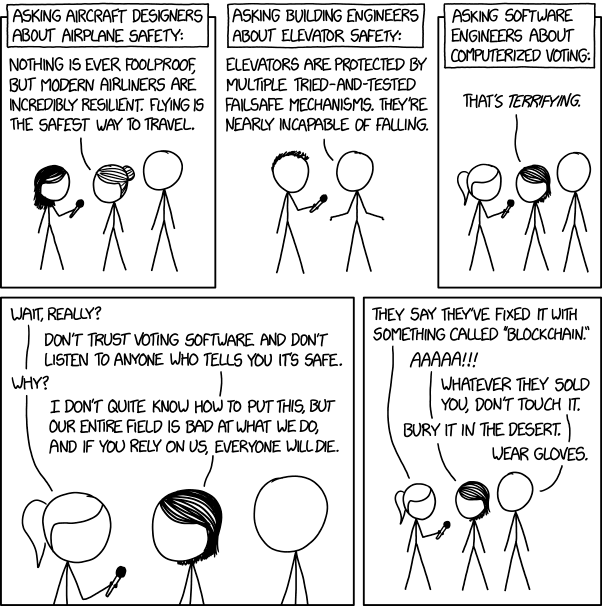
Software can be updated quickly. That is useful, but it can create bad habits.
Because software has low material cost, teams may accept vague requirements, late fixes, weak review, insufficient testing, and “we can patch it later” thinking. In safety-critical or mission-critical systems, this attitude is dangerous.
The Ariane 5 failure, the Mars Pathfinder resets, and the Boeing 737 MAX discussions are often used as reminders that software engineering failures can become system engineering failures.
The lesson is not that software is bad.
The lesson is that software now controls physical, economic, and social systems. Therefore, software must inherit the discipline of the domains it controls.
A practical dependable computing checklist
When designing a dependable system, ask these questions early.
Mission and risk
- What function must be trusted?
- What is the unsafe outcome?
- What is the acceptable risk?
- What must never happen?
- What can degrade gracefully?
- What is the safe state?
Timing
- Which functions have deadlines?
- Are they soft, firm, or hard?
- What is the worst-case execution time?
- What jitter is acceptable?
- What data becomes stale?
- What happens on deadline miss?
Architecture
- What are the single points of failure?
- Which components are safety-critical?
- Which buses carry critical traffic?
- Are critical and non-critical paths isolated?
- Is redundancy justified?
- Can redundancy fail due to common-mode causes?
FDIR
- What faults are detected?
- How are they detected?
- How are they isolated?
- What recovery action follows?
- How do we avoid recovery loops?
- What state is preserved?
- How is the event reported?
Data and memory
- What data must survive reset?
- What data may be lost?
- How are logs protected?
- Are writes atomic?
- Is configuration protected?
- Is there a safeguard memory concept?
Development
- Are requirements traceable?
- Are interfaces documented?
- Is there a coding standard?
- Are reviews mandatory?
- Is static analysis used?
- Are dependencies controlled?
- Are builds reproducible?
Testing
- Are recovery paths tested?
- Is timing tested under load?
- Are faults injected?
- Is hardware-in-the-loop needed?
- Are simulations validated against reality?
- Are tests linked to requirements?
- Are regression tests automatic?
Operations
- What telemetry is available?
- Can operators understand the system state?
- Can safe mode be commanded?
- Can recovery be audited?
- Are procedures tested?
- Is post-failure analysis possible?
The core mindset
Dependable computing is not about making systems perfect. Perfect systems do not exist.
It is about building systems that are explicit about their assumptions, honest about their limits, resistant to known failure modes, observable when things go wrong, and capable of reaching a safe state.
A dependable system does not merely work.
It knows what “working” means. It knows when it is no longer working. It limits the damage. It preserves evidence. It recovers when recovery is safe. And when it cannot recover, it fails in the safest way available.
That is the difference between software that runs and software that can be trusted.
Further reading
- Giorgio C. Buttazzo, Hard Real-Time Computing Systems.
- Andrew S. Tanenbaum and Herbert Bos, Modern Operating Systems.
- Florian Sellmaier, Thomas Uhlig, and Michael Schmidhuber, Spacecraft Operations.
- IEC 61508, Functional Safety of Electrical/Electronic/Programmable Electronic Safety-related Systems.
- MISRA-C guidelines for safer C programming in critical systems.
- ECSS standards for space engineering, requirements, testing, and risk management.